...

ProCapture – Professional Screenshot Software / Month

150.00

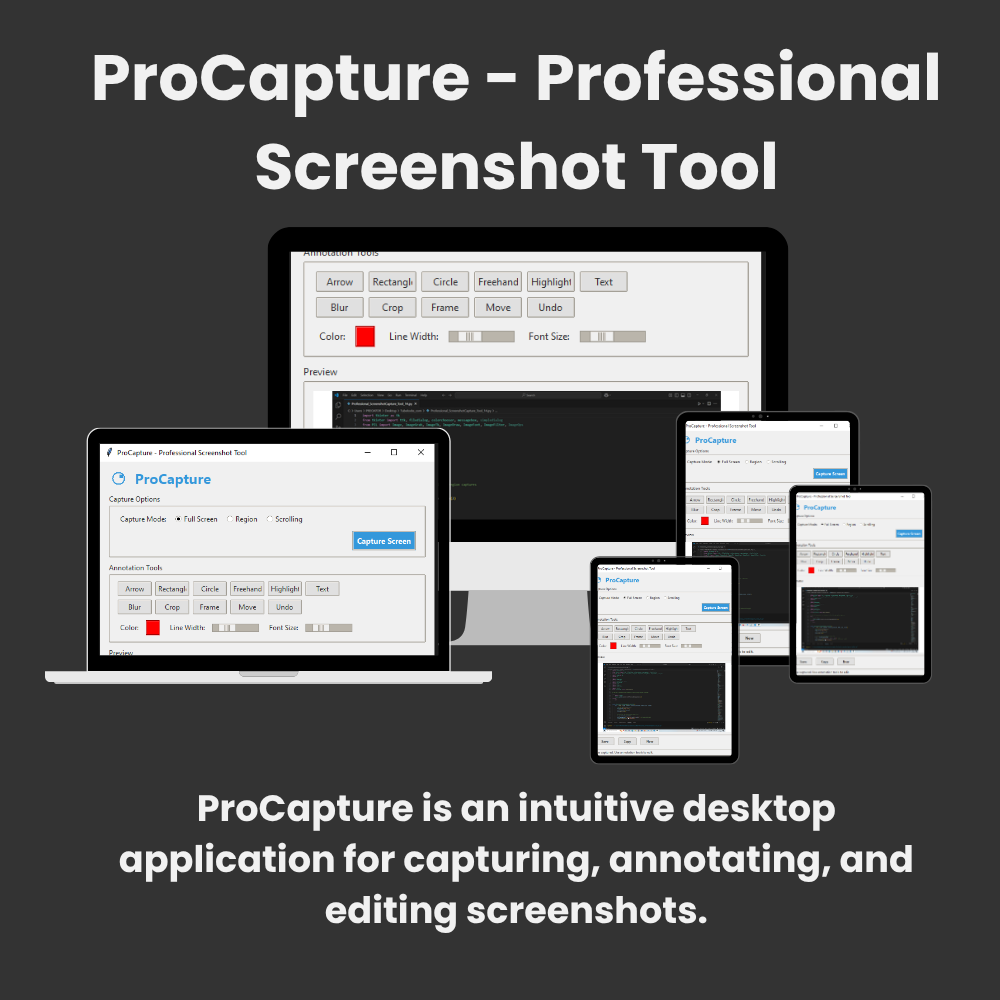
ProCapture is an intuitive desktop application for capturing, annotating, and editing screenshots. It supports full-screen, region-based, and scrolling captures, with robust annotation tools for adding arrows, shapes, text, blur effects, and frames. Edited screenshots can be saved or copied directly to your clipboard.

After downloading and installing the software, please send us a confirmation email stating that you have successfully completed the installation. Kindly include a screenshot of the software as well. Once we receive your confirmation, we will send you the software key and pairs.

If you encounter any issues during the download or installation process, feel free to contact us. You can reach us via email us at: bristik2007@gmail.com

Category:

Smart File Organizer  is an advanced desktop utility that automates file management across your entire system. It intelligently categorizes documents, images, videos, audio, archives, and other file types into dedicated folders using customizable rules. Key features include:

  • ✅ Capture Modes:

    • Full screen

    • Custom regions

    • Scrolling windows (e.g., long web pages)

  • 🖌️ Annotation Tools:

    • Arrows, rectangles, circles, freehand drawing

    • Text boxes with customizable fonts/colors

    • Highlighting and blurring tools

    • Decorative frames

  • ✂️ Editing Features:

    • Crop images

    • Move/resize annotations

    • Undo edits

  • 💾 Export Options:

    • Save as PNG/JPEG

    • Copy to clipboard

Seraphinite AcceleratorOptimized by Seraphinite Accelerator
Turns on site high speed to be attractive for people and search engines.